

Due Diligence Quick Start
Start automating your vendor due diligence workflow with Clarative.
Overview
Section titled “Overview”Clarative’s Due Diligence module is composed of three main steps:
- Vendor Intake & Inherent Risk (coming soon)
- Assessment Review
- Findings & Issues Management (coming soon)
This guide walks you through setting up automated due diligence using Clarative’s platform.
Assessment Review
Section titled “Assessment Review”Step 1: Create an assessment playbook
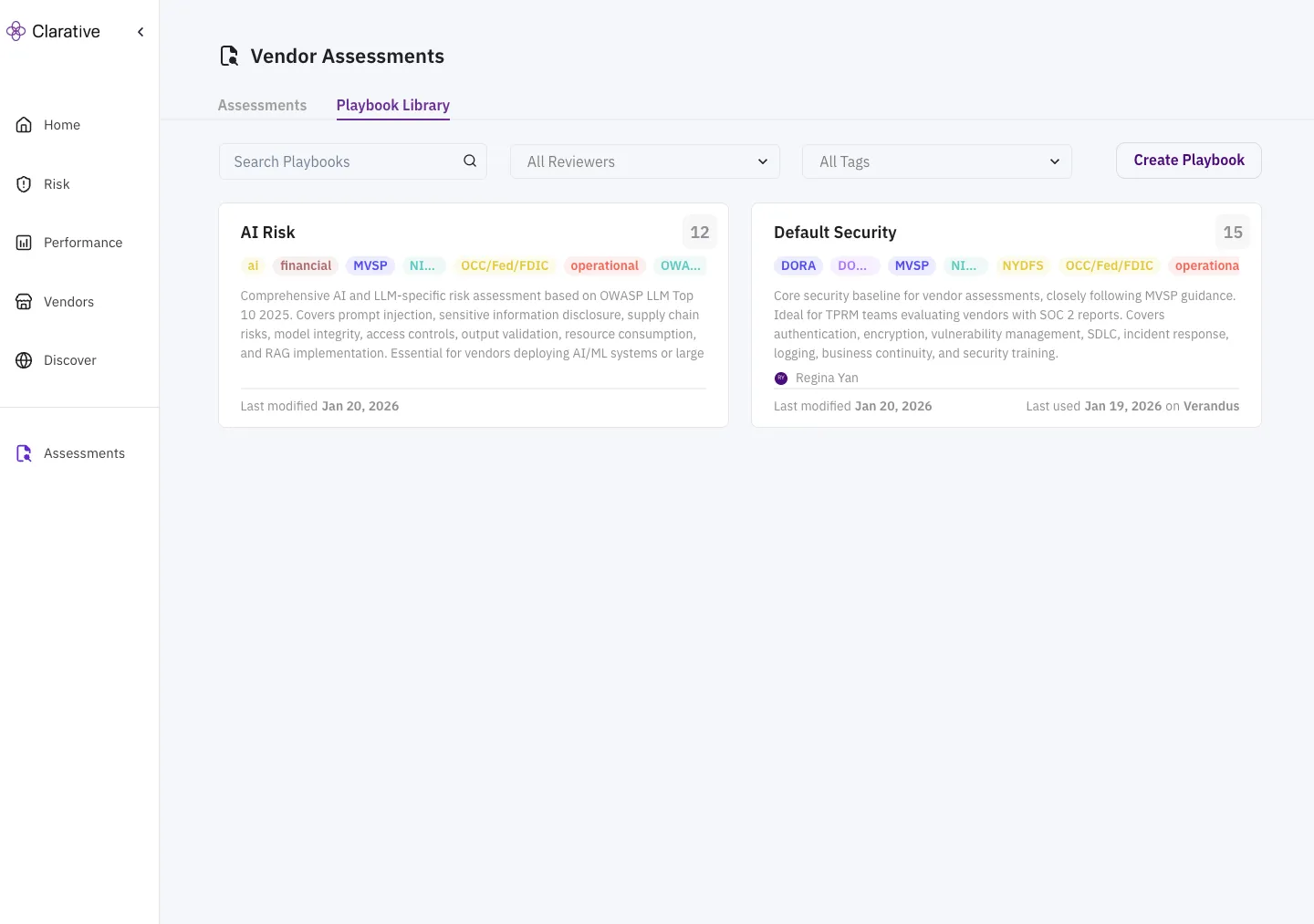
Section titled “Step 1: Create an assessment playbook”Navigate to the Playbook Library to create a new playbook.
A playbook is a collection of criteria that are used to assess a vendor. An organization can create multiple playbooks for different types of vendors, use cases, or risk domains. Clarative comes pre-loaded with a set of playbook templates for common assessment types. Playbooks are organized in the Playbook Library by tags to make them easier to find and reuse.
Different ways to create a playbook:
- Upload an existing questionnaire: Use AI to generate a playbook by uploading an existing questionnaire
- Create a new playbook: Create a new playbook from scratch
- Use a template: Use a pre-configured template to create a new playbook
Step 2: Configure your playbook
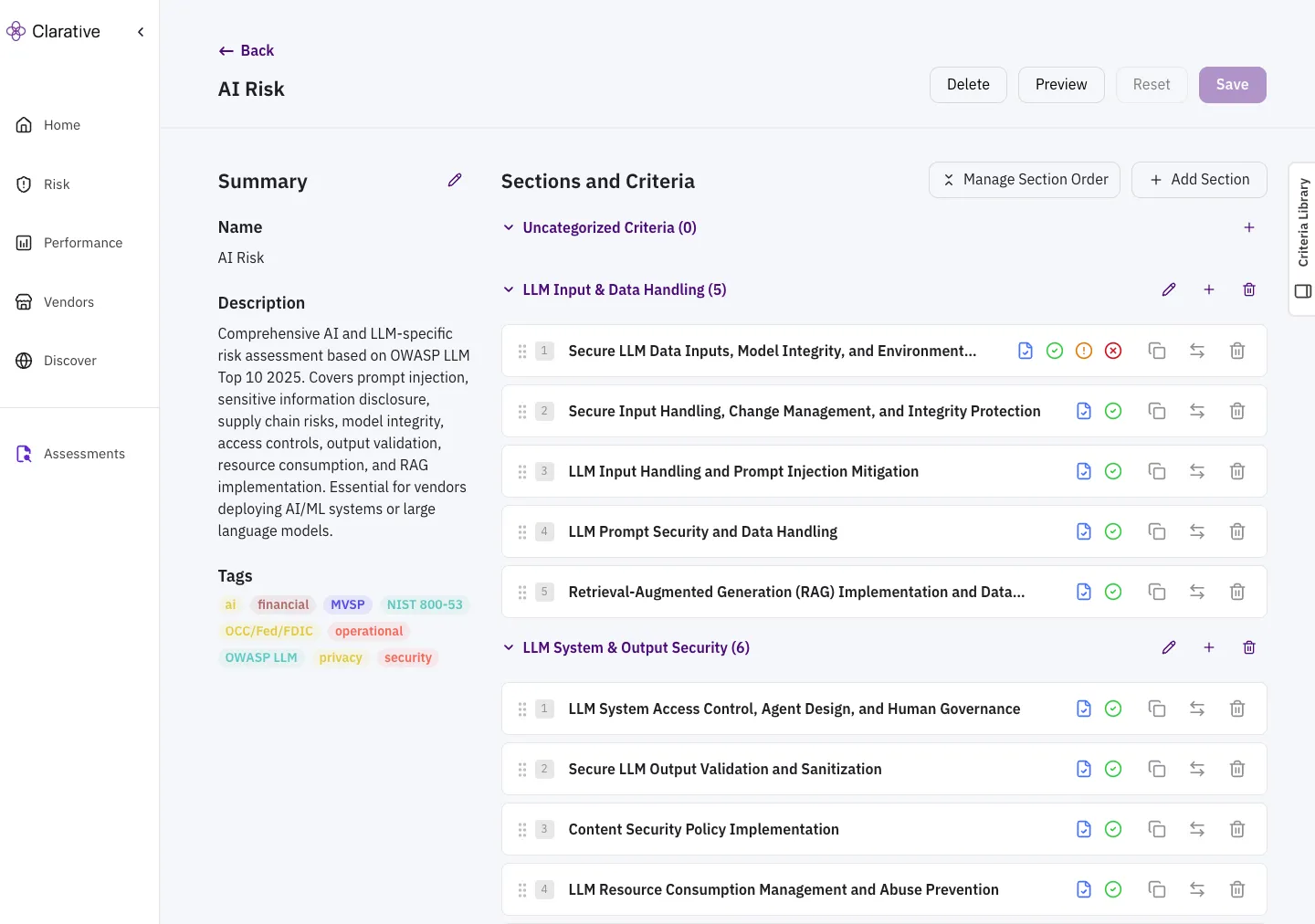
Section titled “Step 2: Configure your playbook”Click on a playbook in the Playbook Library to edit it.
You can configure your playbook by adding, removing, and reordering sections, criteria, and questions. See the playbook documentation for more details on creating and configuring playbooks.
Playbook Structure
- Sections: Playbooks are organized into sections. Each section contains a list of criteria.
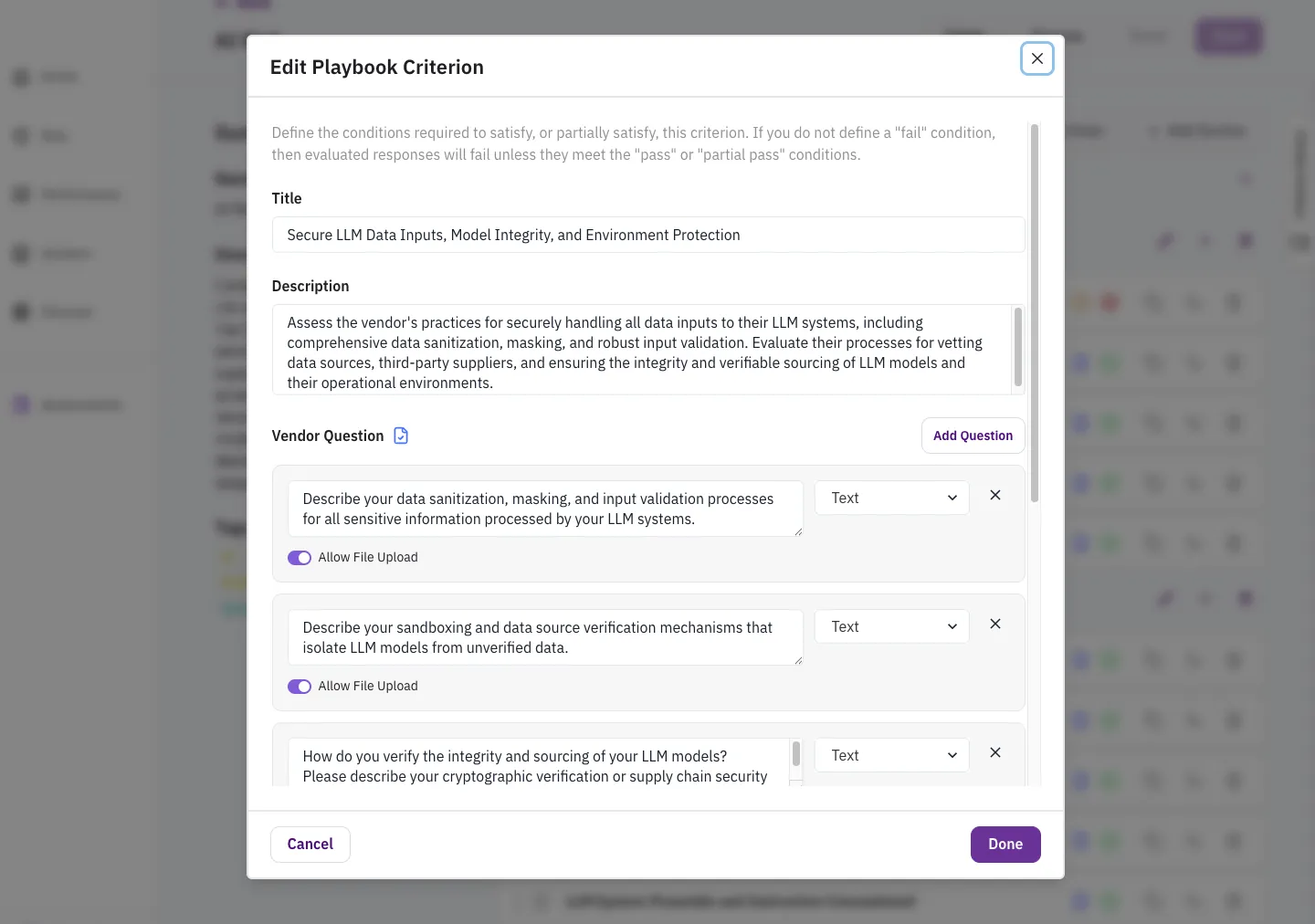
- Criteria: Each criterion determines whether or not a vendor is compliant (pass) or non-compliant (fail) with a specific requirement.
- These pass and fail conditions can be configured to your organization’s risk tolerance and compliance requirements.
- Questions: Each criterion can be configured with a set of questions that are used to gather evidence from the vendor.
- When a questionnaire is sent to the vendor, questions are displayed to the vendor in the Vendor Portal.
Step 3: Kick off a vendor assessment
Section titled “Step 3: Kick off a vendor assessment”Assessments can be initiated from the Assessments tab.
When initiating an assessment, you can choose to initiate from an existing vendor or create a new one.
- Existing Vendor: Select an existing vendor from your list of vendors.
- New Vendor: Create a new vendor by providing a name and URL. This will create a new vendor record in Clarative and assign it to the assessment.
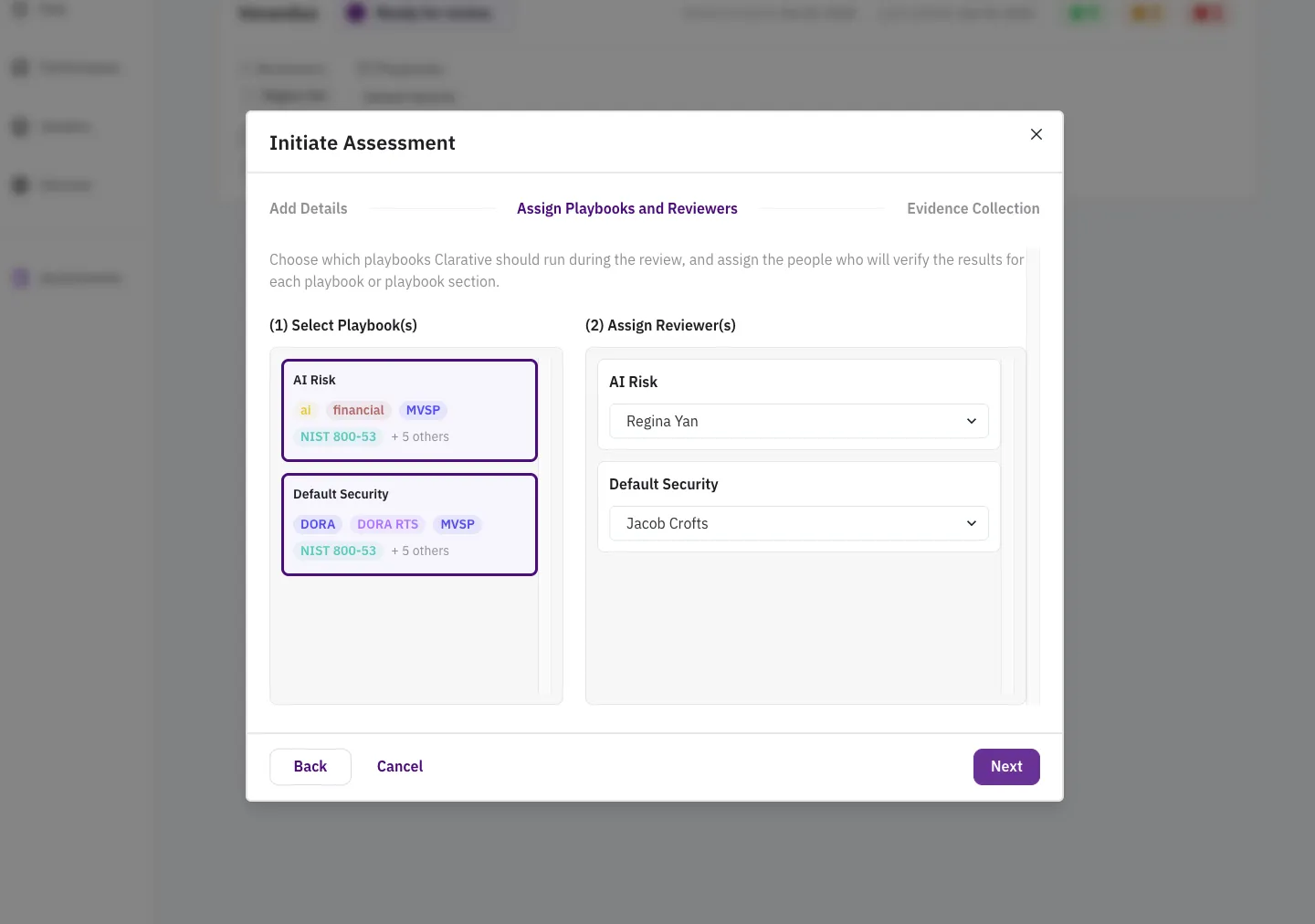
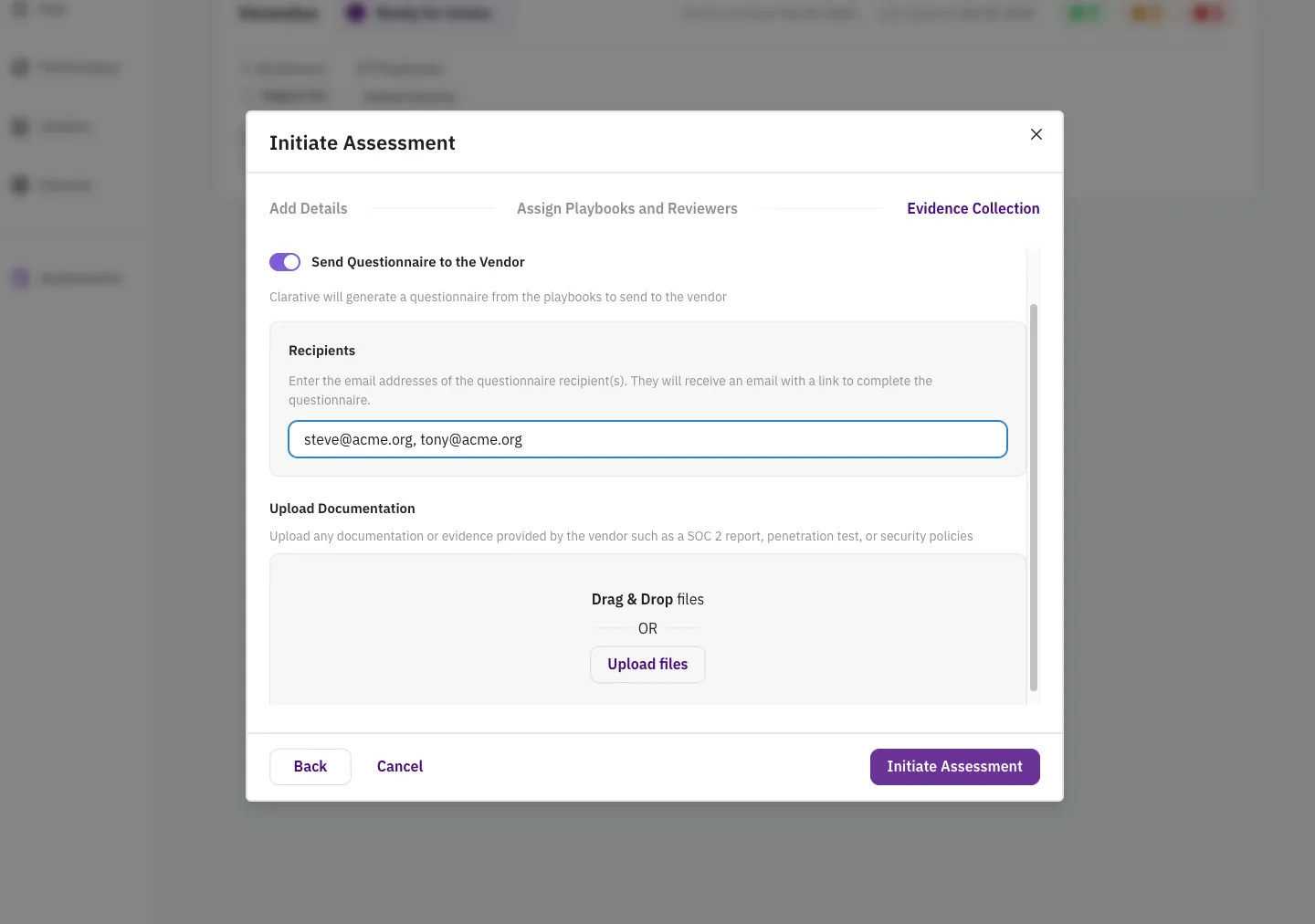
Next, you can choose which playbooks to include in the assessment. You can also add reviewers to the assessment, who will be notified by email when the assessment is complete.
There are two ways to initiate a vendor assessment:
- Document-first: Start by uploading vendor supplied documentation to the assessment.
- This is useful when you’ve already received a file drop from the vendor, or you’ve already pulled documentation from their trust center.
- Questionnaire-first: Start by sending a questionnaire to the vendor. Initiating the assessment will automatically send the questionnaire to the vendor via email.
- This is useful when you’re starting a new assessment with a vendor and need to gather documents or answers to specific questions.
Both options will remain available to you after creating the assessment. You can always add more documents or send the questionnaire to the vendor later.
Step 4: Take a peek at the Vendor Portal
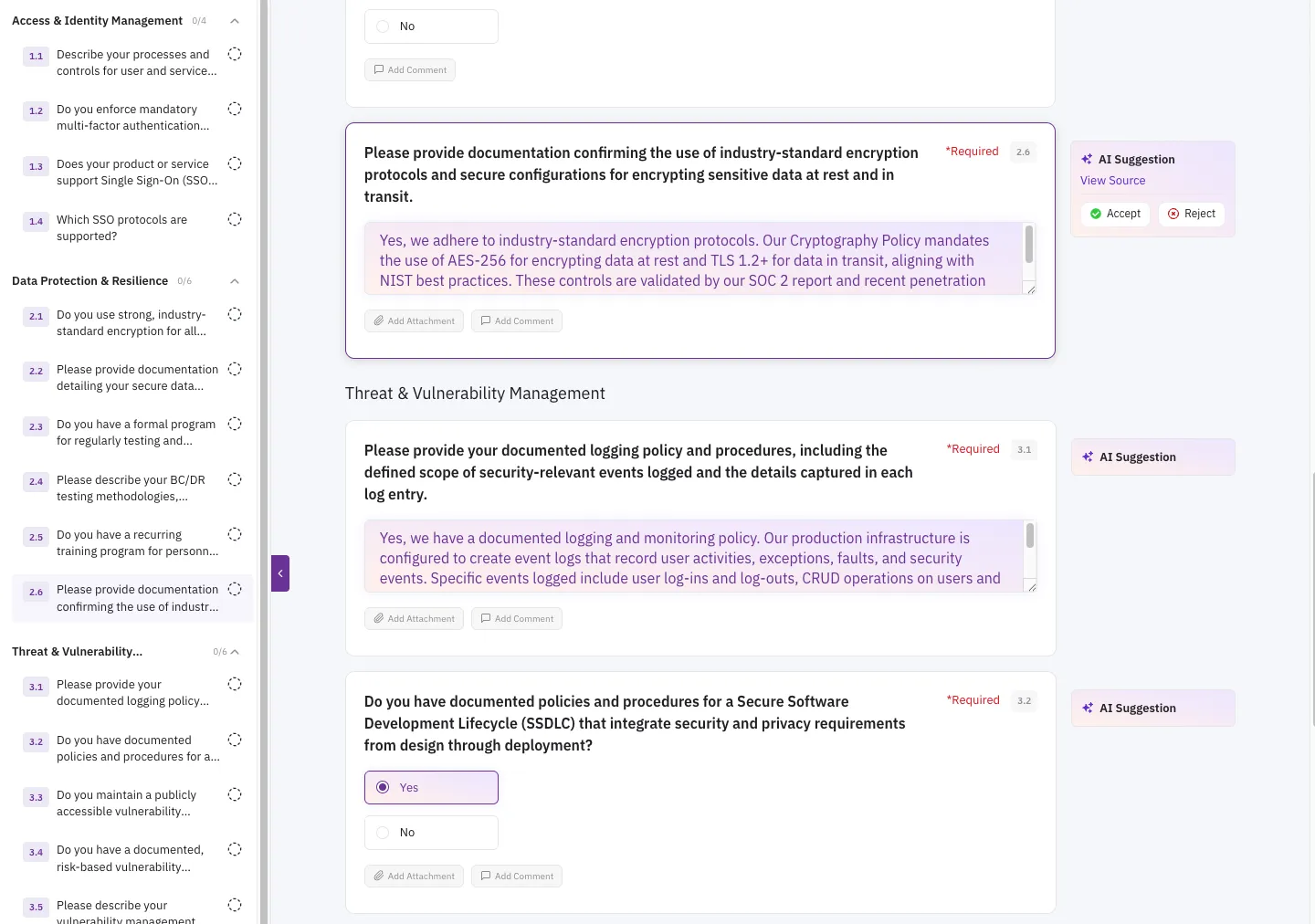
Section titled “Step 4: Take a peek at the Vendor Portal”The Vendor Portal is a secure, web-based platform that allows vendors to respond to the assessment questions. This step isn’t actually for you, but it’s a good way to get a sense of what the vendor experiences from their side. Vendors have access to the following capabilities:
- Document Upload: Upload documents, e.g. SOC reports, pen tests, etc., to the assessment. These will be available in your assessment review.
- Feedback & Comments: Vendors can add comments to their responses and view feedback from you.
- Collaboration: Your vendor POC can share the questionnaire with their peers to get help fill out the questionnaire. These collaborator emails are captured by Clarative, so that you have backup POCs to contact if needed.
- AI Suggestions: Use AI to pre-fill responses to the assessment questions with information from uploaded documents. The AI assistance helps ensure that vendor responses are accurate and complete.
- AI Response Quality Checks: Use AI to quality check the responses to the assessment questions to help identify potential issues prior to submission.
Step 5: Review the assessment
Section titled “Step 5: Review the assessment”The assessment review is available in the Assessments tab.
From the assessment view, you can:
- Upload more documents to the assessment
- Send or re-send the questionnaire to the vendor
- Review questionnaire responses or documentation against individual criteria
- Request clarifications or additional information from the vendor on specific criteria
- Re-run the AI evaluation on new documents or responses
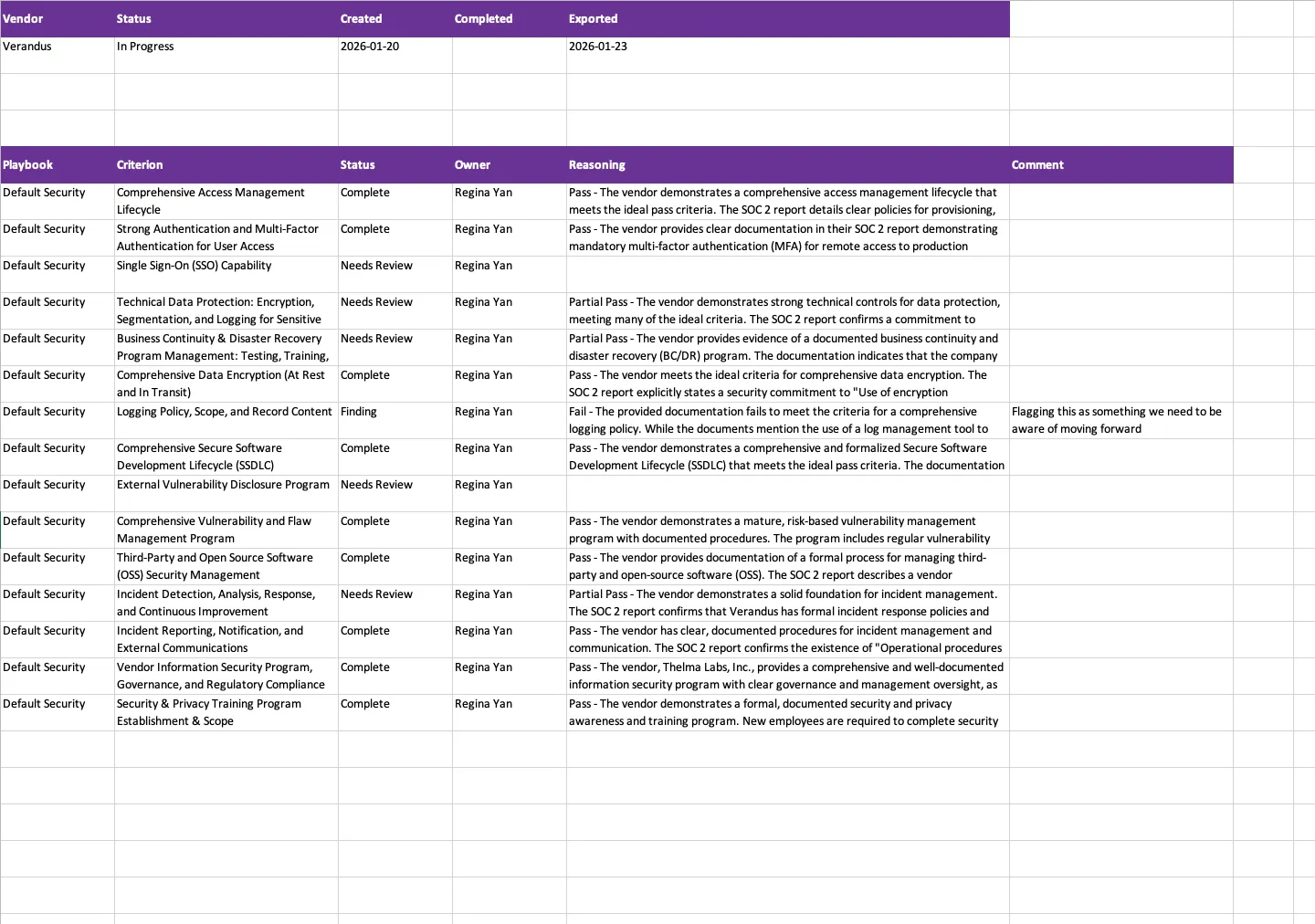
- Export the assessment review results to a Microsoft Excel file
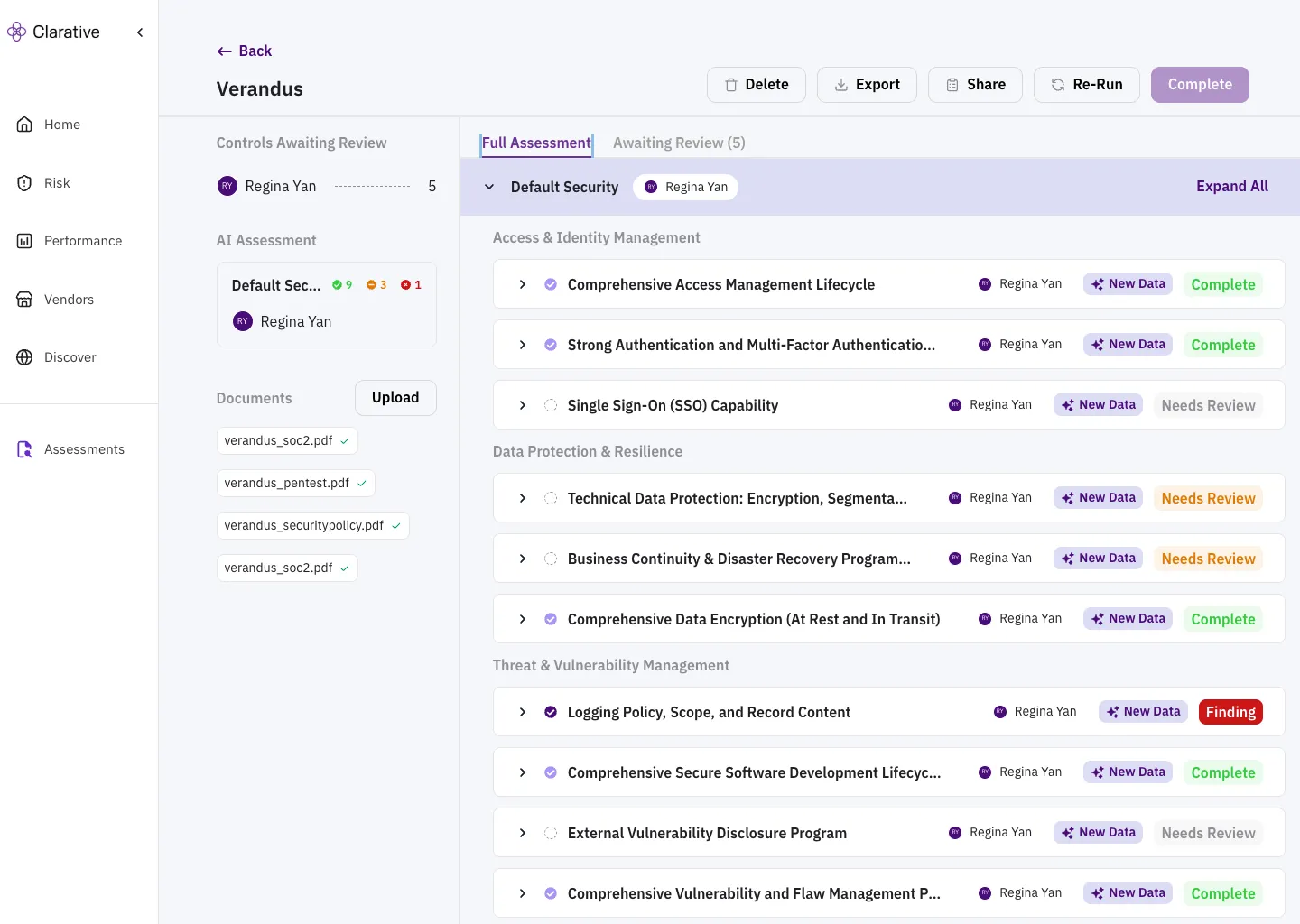
Clarative’s AI Assessment Review will evaluate the vendor’s responses and any submitted documentation against all criteria in the playbooks. The AI will provide a preliminary assessment of the vendor’s compliance with each criterion:
- Complete: The vendor has provided evidence that they are compliant with the criterion.
- Needs Review: There isn’t enough evidence to determine compliance with the criterion, and the criterion should be reviewed by a human.
- Finding: The vendor is not compliant with the criterion, and the criterion is applicable and should be surfaced as a finding.
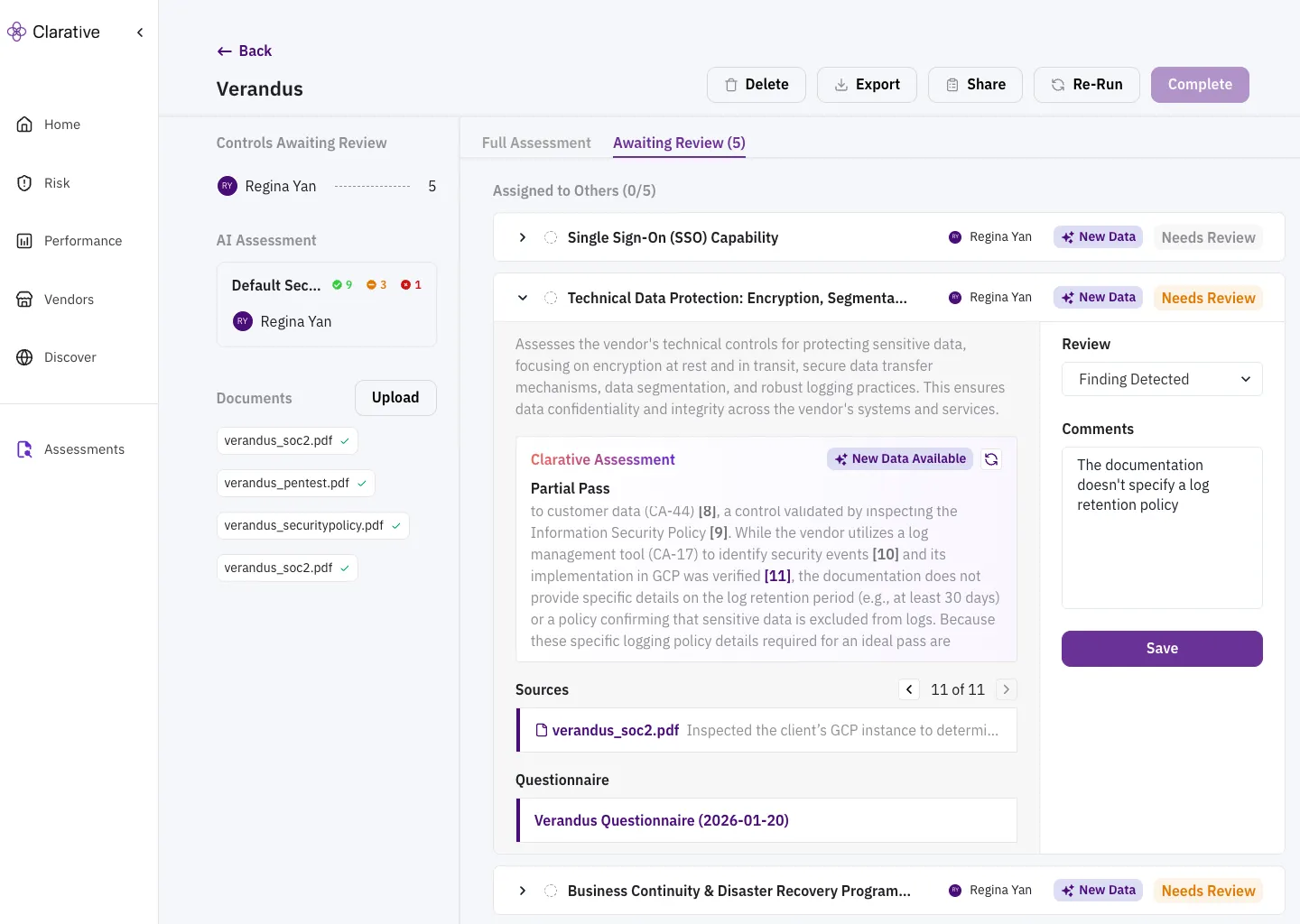
In each of these cases, the AI will provide a detailed explanation of the assessment, citing the evidence that was used to make the assessment. You can click into the citation to see the evidence that was used to make the assessment, and override the AI’s assessment with your own.
Step 6: Export the results
Section titled “Step 6: Export the results”You can export the assessment review results to a Microsoft Excel file for further analysis. The export includes the criteria, the final assessment, the reviewer, the reasoning, and any comments from the reviewer.
Success Metrics
Section titled “Success Metrics”With Clarative’s Automated Due Diligence, you’ll achieve:
- Faster vendor assessments by reducing cycle time and back-and-forth with vendors.
- Reduced manual effort while improving vendor assessment accuracy and efficiency.
- Comprehensive audit trails for all due diligence activities.
Need Help?
Section titled “Need Help?”Contact support at support@clarative.ai.